
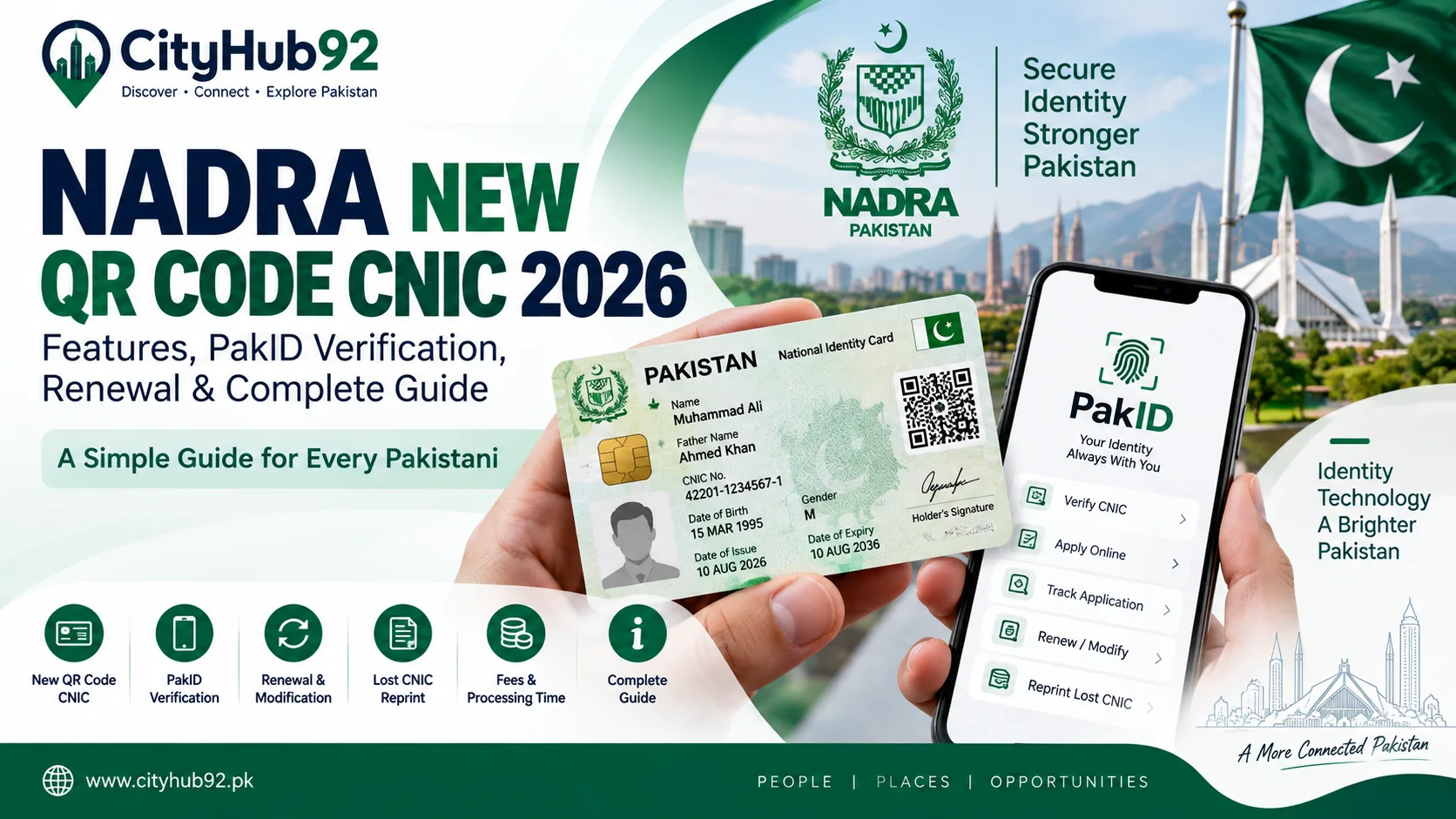
NADRA New QR Code CNIC 2026: Features, PakID Verification, Renewal & Complete Guide
Pakistan’s National Database and Registration Authority, commonly known as NADRA, introduced an important change to the national identity card system in August 2026.
The new QR code-based National Identity Card is designed to support easier digital verification while reducing Pakistan’s dependence on imported microchips.
NADRA officially announced the Made-in-Pakistan QR code-based identity card on 14 August 2026. According to NADRA, the card replaces the imported microchip with a secure QR code that can be read and verified using a smartphone through the official Pak Identity, or PakID, mobile application.
For ordinary citizens, this announcement naturally raises several questions.
What is different about the new card? Do existing CNICs have to be replaced immediately? Can CNICs be renewed online? How does the PakID application work? What are the current NADRA fees?
This CityHub92 guide explains the main points in simple language.
What Is a CNIC?
A Computerised National Identity Card (CNIC) is the main identity document issued by NADRA to eligible adult Pakistani citizens.
According to NADRA, the CNIC serves as official proof of a citizen’s identity, nationality and legal status within Pakistan. NADRA currently lists different forms of the card, including standard CNICs, Smart CNICs and the newer QR code-based CNIC.
A CNIC is commonly required for many important activities in Pakistan, including banking, mobile SIM registration, property and vehicle-related transactions, tax matters and access to numerous public and private services.
Because the CNIC connects to so many services, keeping the document valid and the information on it accurate is important.
What Is the New NADRA QR Code CNIC?
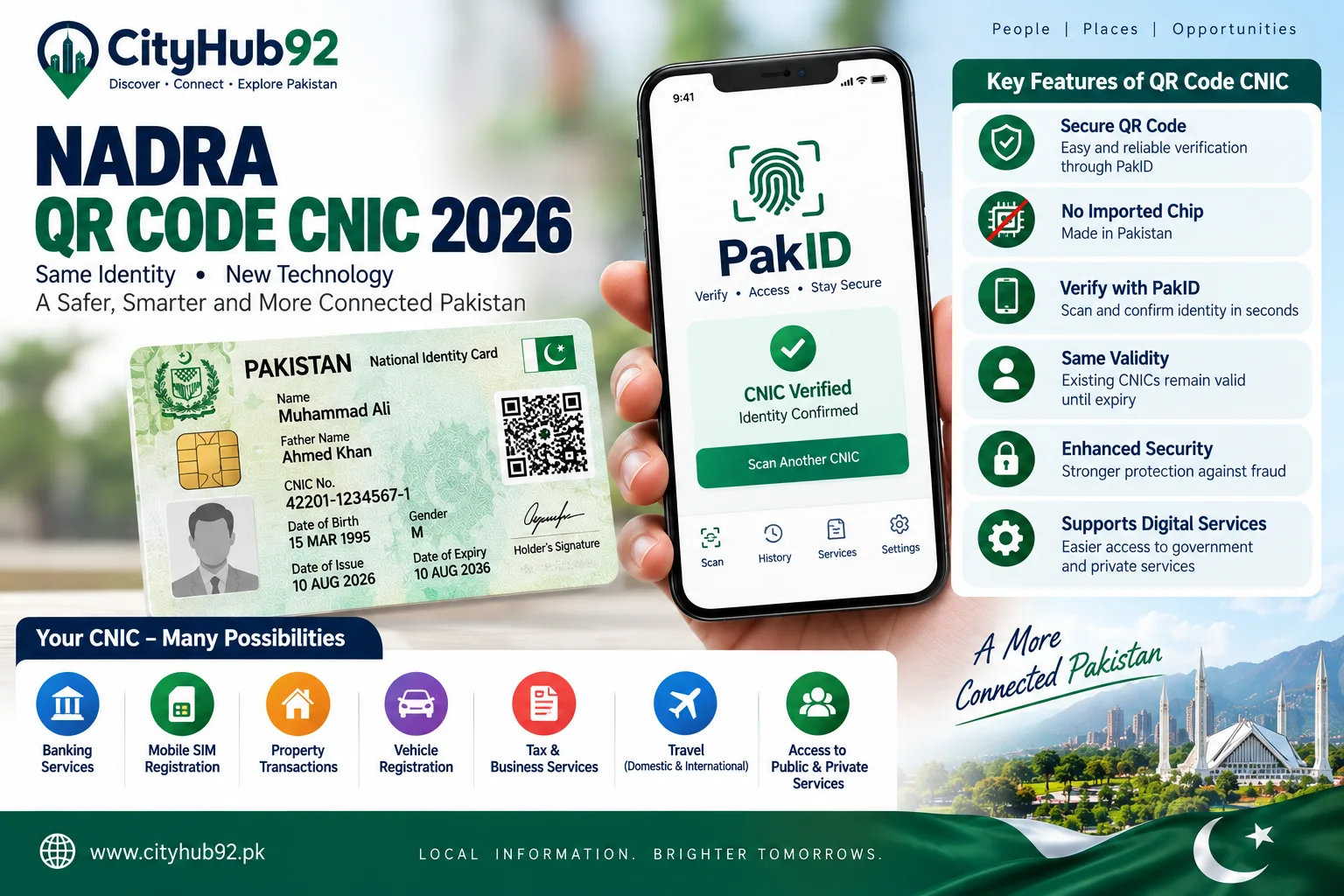
The QR code CNIC is a newer version of Pakistan’s national identity card that uses a machine-readable QR code to assist with verification and authentication.
NADRA states that the new card was manufactured in Pakistan by the Pakistan Security Printing Corporation in accordance with NADRA’s technical and security requirements.
The federal government approved issuance of the new design on 23 February 2026, and NADRA formally introduced it on Independence Day, 14 August 2026.
The major change is that the new design does not depend on an imported microchip.
Instead, a secure QR code is used for digital verification.
According to NADRA, the QR code can be read through the official PakID mobile application and contains relevant cardholder information together with the cardholder’s photograph.
Why Did NADRA Introduce the QR Code CNIC?
One of the main reasons given by NADRA is self-reliance.
The earlier Smart CNIC system uses a secure microchip. With the new design, NADRA says Pakistan can reduce its dependence on foreign-sourced chips while continuing to support secure digital identity verification.
The change also reflects the wider movement toward digital identity services in Pakistan.
Rather than relying only on what is physically printed on a card, identity verification can increasingly be connected to digital services, mobile applications and secure databases.
This does not mean citizens should trust random QR-code scanning applications or websites.
Identity information should only be handled through authorised NADRA services.
Is the New QR Code CNIC Different From Smart CNIC?
Yes.
NADRA currently identifies several CNIC types.
A standard CNIC is a traditional identity card issued to adult citizens.
A Smart CNIC includes a secure microchip and enhanced security features.
The newer QR-code CNIC uses a machine-readable QR code to support faster verification and authentication of cardholder information.
The important point is that people should not assume every card will immediately be converted into the latest format.
Your existing identity document remains subject to its own validity and renewal requirements.
If your card is currently valid, check NADRA’s official guidance before trying to replace it solely because a newer card format has been announced.
Do Existing CNIC Holders Need to Replace Their Cards Immediately?
Citizens should not rush to replace a valid CNIC simply because the QR-code version has been introduced.
The safest approach is to check the validity date shown on your current card and follow NADRA’s official renewal or replacement instructions when necessary.
A person may need to apply because a card has expired, is close to expiry, has been lost, contains incorrect information or requires another permitted modification.
For current instructions, use NADRA’s official CNIC service pages or PakID application rather than relying on social media posts claiming everyone must immediately obtain a new QR card.
What Is PakID?
PakID is NADRA’s official digital identity-services platform.
NADRA describes the PakID mobile application as an all-in-one service that allows users to apply for identity documents, update information, track applications and manage selected identity services using a mobile device.
The application supports several functions, including identity-document applications, renewals, reprints, biometric verification, live photo capture, digital signatures and document uploading.
PakID is available for both Pakistani residents and, for eligible services, overseas Pakistanis.
What CNIC Services Are Available Through PakID?
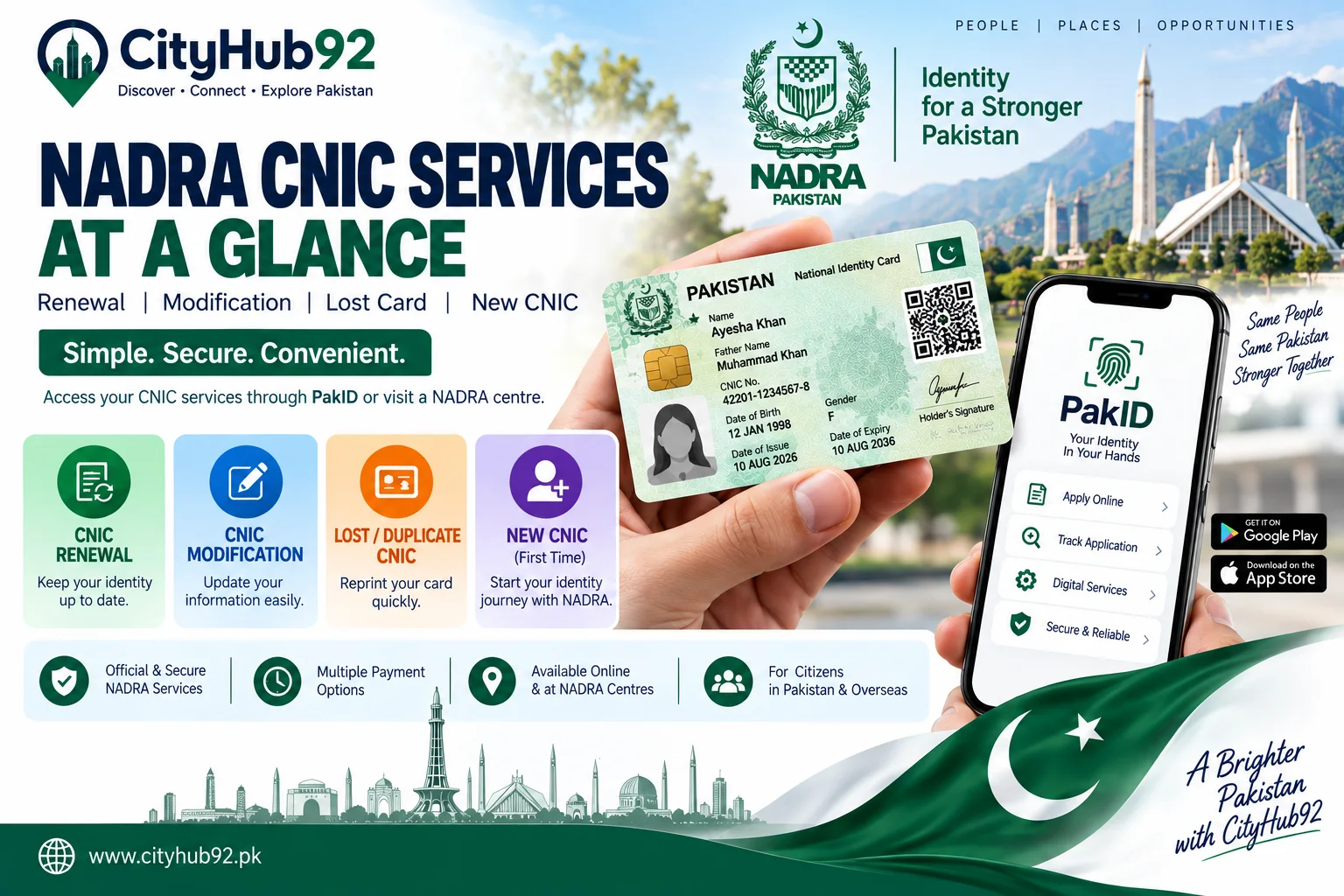
According to NADRA’s official PakID guidance, CNIC holders can use the service for several common requests.
These currently include:
CNIC renewal CNIC modification Reprint of a lost card Updating selected non-printable information
NADRA’s FAQ notes that a first-time CNIC has different requirements. A first-time application may be initiated through a blood relative’s PakID account, after which the applicant and the blood relative must visit a NADRA centre to complete the remaining steps.
That distinction is important.
PakID makes many existing-card services available online, but not every identity case can necessarily be completed entirely from home.
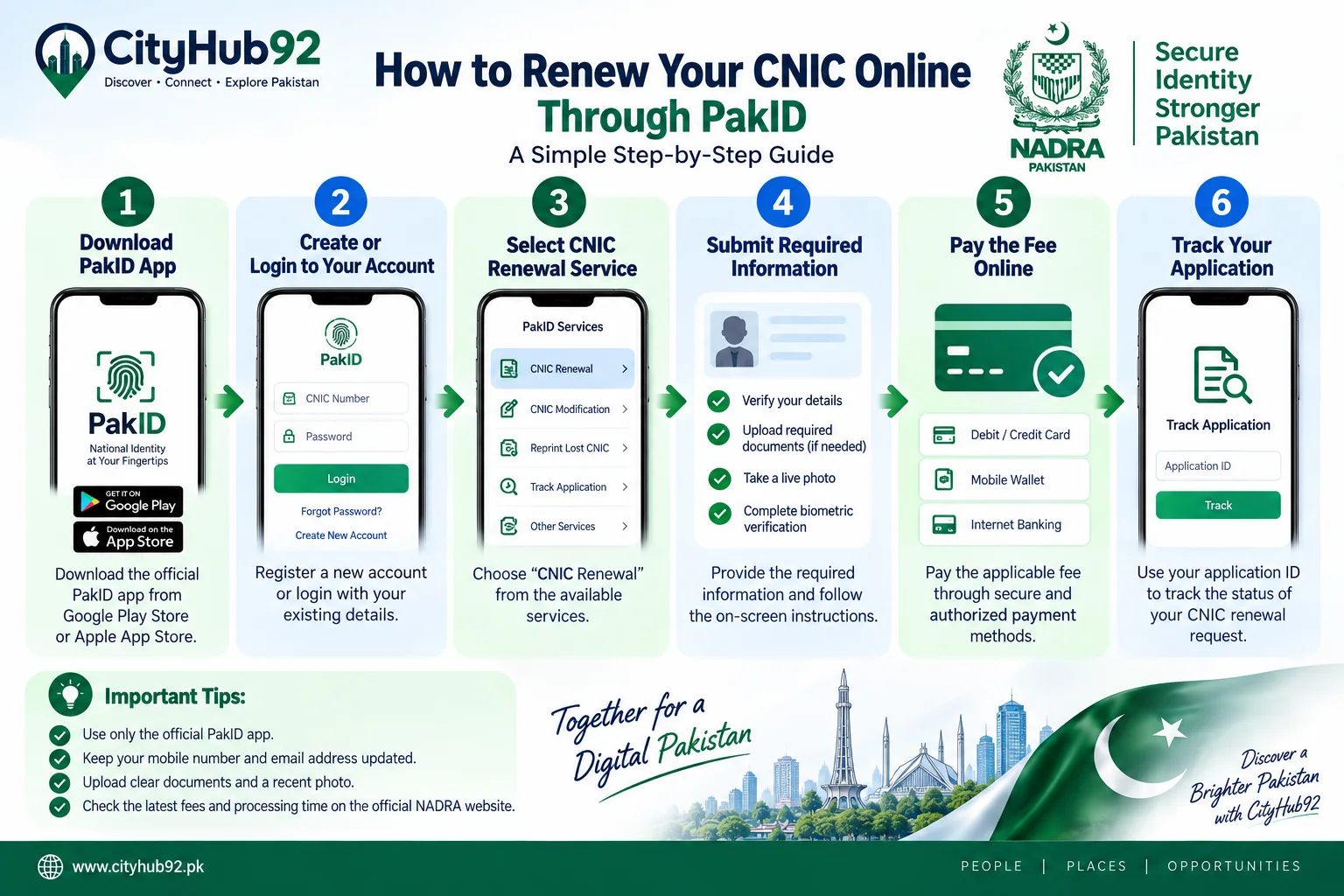
How to Renew Your CNIC Online Through PakID
The exact interface can change as NADRA updates the application, but the general process is straightforward.
Step 1: Use the Official PakID Service
Access NADRA’s official PakID mobile application.
Be careful with unofficial websites and applications that use NADRA-related names or logos.
Your CNIC information is highly sensitive personal information.
Step 2: Create or Sign In to Your Account
Register an account if you do not already have one, or sign in using your existing credentials.
Make sure the email address and mobile number you use are accessible to you.
Step 3: Choose the CNIC Service
Select the service you require, such as renewal, modification or reprint.
Do not choose modification when you simply need renewal, or vice versa.
Step 4: Provide the Required Information
Enter the details requested for your application.
Depending on the service, you may also need to upload documents or provide additional information.
Step 5: Complete Photo and Identity Requirements
PakID supports live photo capture, biometric verification and digital signature capture on supported services.
Follow the on-screen instructions carefully.
Poor-quality images or incomplete documents can cause unnecessary problems or delays.
Step 6: Pay the Applicable Fee
The fee depends on the document type and processing priority.
PakID supports authorised digital payment methods, including eligible card and mobile-wallet options depending on the service.
Step 7: Review Before Submission
Check your spelling, address details, identity information and uploaded documents.
Identity-document applications should be reviewed very carefully before submission.
Step 8: Track Your Application
After submission, keep your application or tracking information available.
Use NADRA’s authorised tracking and support channels if you need an update.
NADRA CNIC Fees in 2026
Fees are an important search topic, but they can change. Therefore, always confirm them using NADRA’s current official fee page before paying.
At the time this article was prepared, NADRA listed the following fees for a standard CNIC.
CNIC Service Normal Urgent Executive New CNIC Rs. 0 Rs. 1,150 Rs. 2,150 CNIC Renewal Rs. 400 Rs. 1,150 Rs. 2,150 CNIC Modification Rs. 400 Rs. 1,150 Rs. 2,150 Duplicate CNIC Rs. 400 Rs. 1,150 Rs. 2,150
For Smart NIC services, NADRA currently lists different charges. A Smart NIC renewal, modification or duplicate costs Rs. 750 under normal priority, Rs. 1,500 urgent and Rs. 2,500 executive.
These fees should be treated as current published information rather than permanent rates.
How Long Does NADRA CNIC Processing Take?
NADRA’s current published table gives different processing timelines according to document type and priority.
For the standard CNIC categories shown on its current fee page, NADRA lists approximately:
Normal: 15 days Urgent: 12 days Executive: 6 days
Smart NIC processing times currently shown by NADRA are longer in the same table, with published timelines of 31 days for normal, 23 days for urgent and 9 days for executive processing.
These are published processing timelines and should not necessarily be interpreted as a guaranteed doorstep-delivery date in every individual case.
Complex verification issues, incomplete documentation or other circumstances may affect an application.
What Should You Do If Your CNIC Is Lost?
A lost CNIC should not simply be ignored.
NADRA provides a reprint/lost card service and its PakID system supports CNIC reprint requests.
Use the official NADRA channel to request the appropriate replacement.
Do not post photographs of your lost CNIC on Facebook, WhatsApp groups or other public platforms asking people to locate it.
Your CNIC number and other identity details can be sensitive.
If you find someone else’s identity card, avoid sharing an uncensored photo publicly.
How to Modify Information on Your CNIC
A CNIC modification request may be required when eligible information needs to be corrected or updated.
Examples can include changes to information for which NADRA permits modification under its applicable rules.
The PakID service supports CNIC modification applications.
However, documentary requirements can differ depending on what you are changing.
Do not assume that every change only requires typing new information into the mobile application.
NADRA may require supporting documentation or further verification.
Can You Apply for a New CNIC Entirely Online?
For a person obtaining a CNIC for the first time, the process is not necessarily fully online.
NADRA’s PakID FAQ currently states that a first-time CNIC application can be initiated through a blood relative’s account, but the applicant and blood relative must visit a NADRA centre to complete the remaining steps.
Existing CNIC holders have more online options for renewal, modification and reprint services.
This is an important distinction because searches for “NADRA CNIC online” can sometimes lead people to believe every service is completely digital.
What About NICOP for Overseas Pakistanis?
NADRA also provides identity services for Pakistanis living overseas.
The National Identity Card for Overseas Pakistanis (NICOP) serves as an official identity and nationality document for eligible Pakistani citizens living abroad.
NADRA currently lists Smart NICOP as well as a newer NICOP with QR-code, describing the QR version as a machine-readable card designed for faster verification and authentication.
PakID supports multiple NICOP services, including fresh applications, renewal, modification and lost-card reprints.
Fees for overseas cards differ according to the applicant’s region and processing priority, so overseas Pakistanis should consult NADRA’s latest fee structure before submitting an application.
Protect Yourself From Fake NADRA Websites and Messages
Whenever an important government service becomes popular, misleading messages can spread quickly.
Be cautious if someone sends you a link claiming that you must “verify your CNIC immediately” or your card will be blocked.
Never provide passwords, verification codes or sensitive identity information to unknown people.
Use NADRA’s official website and official PakID service.
NADRA currently lists its helpline as 1777, with an additional telephone number of +92 51 111 786 100.
For unusual application problems, contacting NADRA directly is safer than relying on unofficial social-media advice.
Common NADRA CNIC Mistakes to Avoid
A few simple precautions can save time.
Check all information before submitting an application. Upload clear documents. Use your own reliable contact details. Select the correct service type. Pay only through approved channels.
Do not send your complete CNIC image to strangers offering to “fix” NADRA problems.
Also remember that the launch of a new identity-card design does not automatically mean your current valid card has become invalid.
Always check official NADRA information before replacing a document unnecessarily.
Why the New QR CNIC Matters for Pakistan
The QR-based CNIC is more than a visual redesign.
It reflects Pakistan’s wider shift toward digital public services.
NADRA says the new design supports secure smartphone-based verification while reducing reliance on imported chip technology.
At the same time, services such as PakID are allowing people to complete more identity-related tasks without repeatedly visiting registration centres.
That can be particularly useful for people living far from a NADRA centre, people with busy schedules and overseas Pakistanis.
However, greater digital convenience also means citizens should take greater care with their personal information.
Your CNIC details should be treated as sensitive information.
Final Advice for NADRA Users in 2026
The introduction of the QR-code CNIC is an important update to Pakistan’s identity system, but citizens do not need to panic or immediately replace every existing identity card.
Check your current CNIC’s expiry date and determine whether you actually need renewal, modification or replacement.
When a service is available online, use the official PakID platform.
Before paying any fee, verify NADRA’s current fee structure.
If you are applying for your first CNIC or have a complicated identity-record issue, check whether a visit to a NADRA registration center is required.
Most importantly, verify important announcements through NADRA itself instead of relying solely on social media.
CityHub92 will continue publishing practical guides about digital government services, public information and useful services across Pakistan.
Disclaimer: This article is published for public awareness and general informational purposes only. NADRA rules, fees, processing times, procedures and identity-document requirements may change from time to time. Readers are strongly advised to check the latest updates and official instructions directly from the National Database and Registration Authority (NADRA) website before taking any action. CityHub92 is not responsible for any decision made solely on the basis of the information provided in this article.